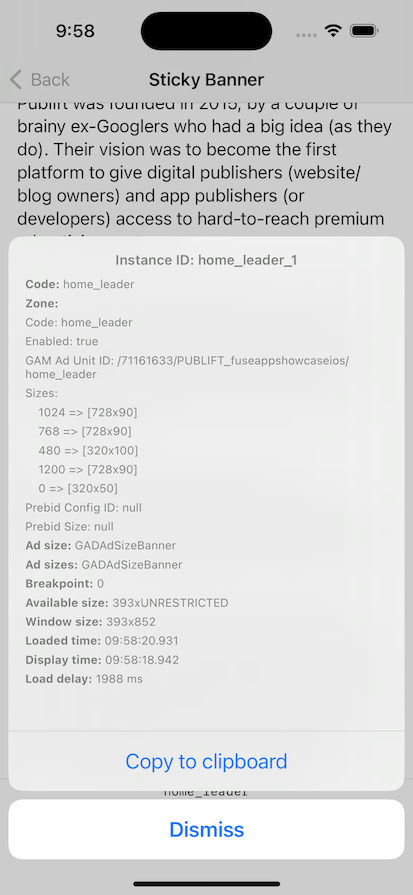
Zone Inspector
For troubleshooting, you can enable the zone inspector popup window for your Fuse banner ads.
When enabled, shaking your phone/tablet three times will trigger a small Publift icon to appear briefly. Tapping on this icon will display a popup with information about your Fuse banner ads.
Alternatively, when Fuse test mode is enabled, a small Publift icon will appear in the top-left corner of each Fuse banner ad. Tapping on this icon will display the zone inspector popup.
The zone inspector popup provides diagnostic information about the banner ad and it’s underlying Fuse App configuration.
During development, you can manually enable the zone inspector as follows:
Android:
FuseSDK.isZoneInspectorEnabled = true
iOS:
FuseSDK.shared.isZoneInspectorEnabled = true
Example